When it does not work
Find the code or message you see, and what to do.
A short page with a code on it
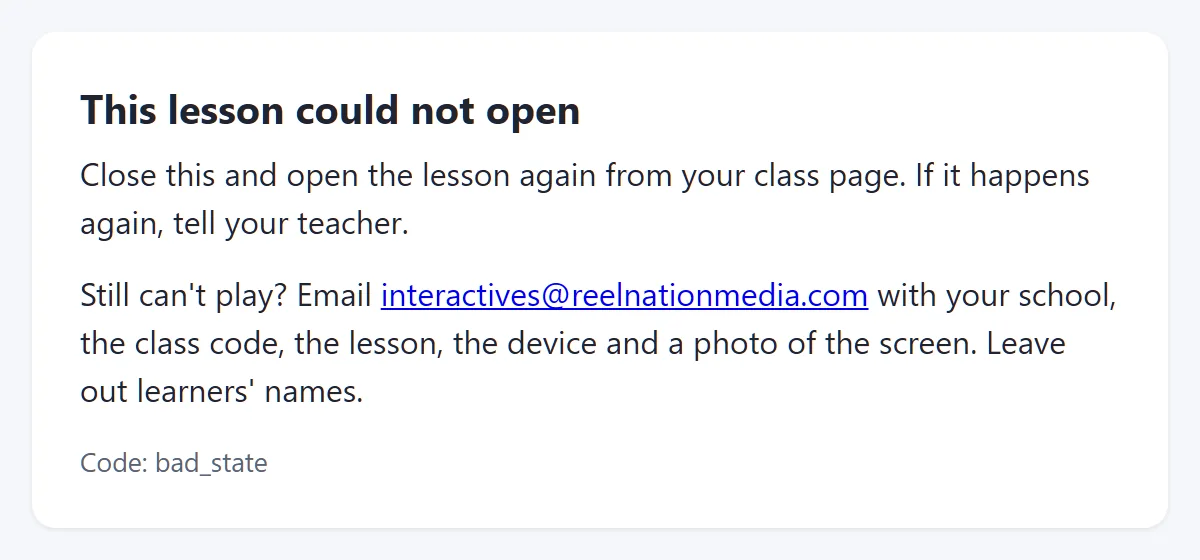
An interactive that cannot open shows This lesson could not open, with a Code: line at the bottom.
| Code | What it means | What to do |
|---|---|---|
bad_deployment | This tool's Deployment ID is not in our studio. | Add the tool in our studio with its own Deployment ID. |
bad_id_token | Our server could not confirm the launch came from your Moodle. | Check Issuer, Client ID and Platform JWKS URL in our studio against Moodle's details. |
unknown_lesson | The activity does not name one of our interactives. | Add interactives with Select content. For an activity made by hand, check the interactive ID against the table. |
deep_linking_needs_a_teacher | A learner account opened the interactive picker. | Only teachers add interactives. Check the account's role in the course. |
deep_linking_type_not_accepted | Moodle asked the picker for something other than a link. | Tell us the code. |
bad_deep_linking_settings, bad_message_type or bad_version | Moodle sent a kind of message our server does not take. | Check LTI version is LTI 1.3. If it is, tell us the code. |
bad_state, missing_state or missing_id_token | The launch was cut off or took more than 10 minutes. | Open the interactive again from Moodle. If every launch shows it, check that Redirection URI(s) is exactly our launch address. |
bad_state_browser | The launch started in one browser window and finished in another. | Open the interactive again from Moodle, in one window. |
bad_nonce or replayed_nonce | The same launch arrived twice, for example after Back or Refresh. | Open the interactive again from Moodle. |
unknown_registration | The connection was removed from our studio while the launch was under way. | Connect Moodle again. |
missing_sub | Moodle did not send its user number for this person. | Tell us, with the time it happened. |
no_licence | Your school has no licence with us, so our interactives do not open through Moodle. | Ask us about a licence. |
licence_ended | Your school's licence has ended. | Ask us to renew it. |
lesson_not_licensed | This interactive is not in your school's licence. A teacher sees it when opening the picker if the licence covers none of our interactives. | Ask us to add the interactive, or use one the licence covers. |
Other things you may see
| What you see | What it means | What to do |
|---|---|---|
A plain page showing {"error":"unknown_issuer"} | Moodle reached our login address, but no connection in our studio has that issuer and Client ID. | Check Issuer (Moodle's Platform ID) and Client ID in our studio. |
A plain page showing {"error":"missing_iss"} | Our login address was opened without Moodle's details. | Check that Initiate login URL holds our login address, and Tool URL and Redirection URI(s) hold our launch address. |
A plain page showing {"error":"client_id_required"} | Your school has two connections with the same issuer and different Client IDs, and Moodle did not say which. | Tell us. |
| This link has been used or has expired: open the lesson again from your class page. | The one-time link inside the launch was already used, or more than 2 minutes passed. | Open the interactive again from Moodle. |
| Your result could not be saved. | The interactive finished, but our server refused the result. | Open the interactive again from Moodle and play again. If it happens again, tell us the time. |
| This school's licence has ended., or a line saying the interactive or the school has no licence | The licence was checked again when the interactive opened, when its result was saved, or when the picker sent its interactives back. | Ask us about your licence. |
| your school system takes one lesson at a time | The teacher picked several interactives where Moodle takes one. | Pick one interactive, then add the next. |
| these lessons were already sent: open the picker again from your school system | The picker's answer already went back to Moodle. | Open the picker again from Moodle. |
| this school system is no longer connected | The connection was removed from our studio. | Connect Moodle again. |
| A learner's result is in our studio's gradebook, but not in Moodle | Moodle refused the grade or was not asked. | Check IMS LTI Assignment and Grade Services and Accept grades from the tool in Moodle, and the Token URL in our studio. Then tell us when the learner finished: our server's log records why Moodle refused a grade (for example token_request_failed, no_access_token, lineitem_create_failed or score_post_failed). |
| A learner is missing from our studio's gradebook | They opened it with a role that is not "Student", so it was a preview. | Check their role in the Moodle course. |
To tell us about a problem, use our report page, or write to us at interactives@reelnationmedia.com. Include the code and the time it happened. Never include a learner's name.
Other setup guides: Add our interactives to Canvas · Add our interactives to Schoology · Host our interactives on your school's website. Back to help for schools.