Put an interactive on your own website
Host an interactive on your school's own web server, as a package: one folder. For your technology coordinator.
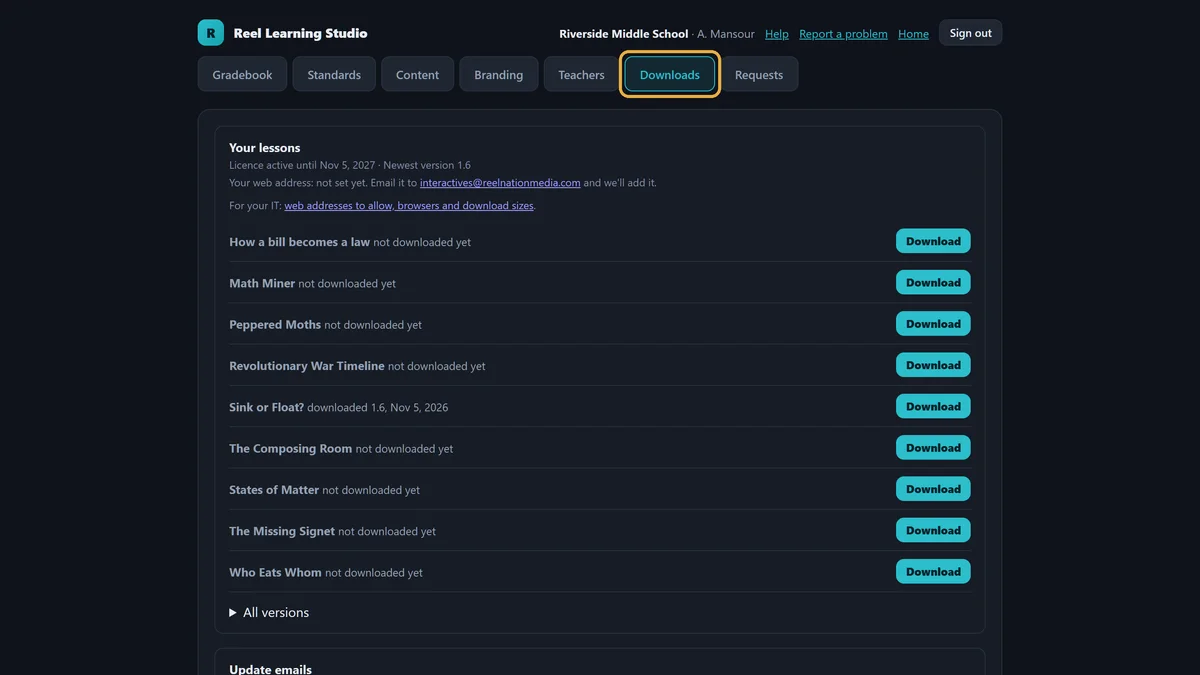
Each download is named for the interactive and version (peppered-moth-1.6.zip). Unzip it into a new folder of the same name (peppered-moth-1.6).
- Connected (what the studio's Downloads tab gives you): the folder holds the game and its interactive as it came. Once per visit it asks our server for your school's interactive, so what your teachers publish reaches learners next visit, with no new folder. It asks only from a web address you've listed with us, while your licence is active. Anywhere else, it plays the folder's interactive. The request names your school, the interactive and the game's version, and nothing about the learner.
- Sealed: the interactive is inside the folder, and the folder never contacts our server. The Downloads tab doesn't make sealed folders. Ask us for one.
What your IT team needs (and the web addresses, browsers and download sizes):
- A web server that serves files over HTTPS. Samples for Apache, IIS (
web.config) and nginx come in the folder. - The exact address of each page allowed to show the interactive (never "*"), typed in the Downloads tab under Put an interactive on your website, Page address, before downloading. Each download's
package-config.jsthen comes set up; edit it only to change a folder you already have. - To let your own page frame the game: no
X-Frame-Options: DENYheader on the game's files.
A package tells the interactive's result only to the pages you list, with no names and no learner, class or device identifiers.
In a package, what the game remembers stays on that device: a shared computer or a cleared browser starts fresh.
For your web team: Host our interactives on your school's website.